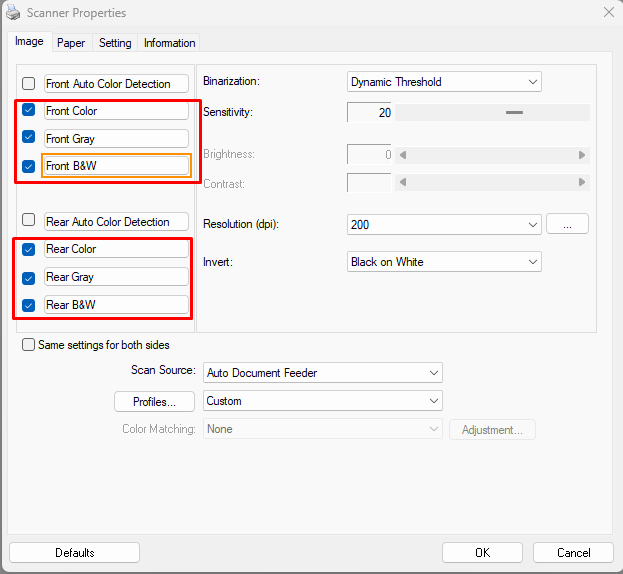

Starting with scanEZ v7.212.0.8, multi-streaming is mandatory for all scanning operations. To use this feature, configure the scanner driver profile as described below.
Applicability: These instructions currently apply only to Avision scanners.
Simplex scanners (Book scanners)
For simplex scanners or book scanners (for example, FE6380E or FE6280E), follow these steps:
-
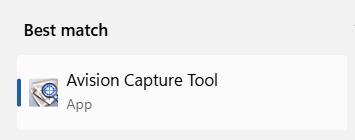
Open Avision Capture Tools.
-
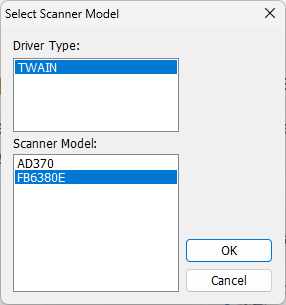
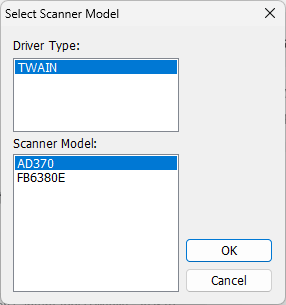
Select the scanner, then click OK.
-
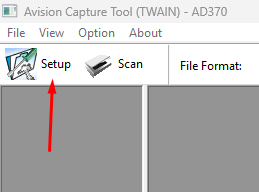
Go to Setup.
-
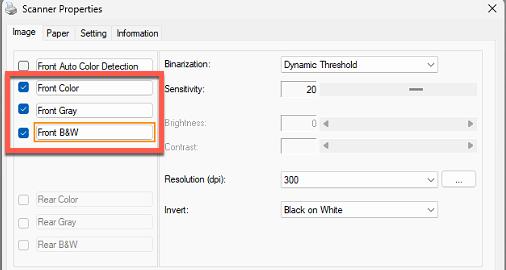
Select all three color modes.
Duplex scanners
For duplex scanners, follow these steps:
-
Open Avision Capture Tools.
-
Select the scanner, then click OK.
-
Go to Setup.
-
Select all three color modes.